

How to List Your Business
Follow these steps to list your business on Muslim-Owned Enterprise. It only takes a few minutes.
Watch: How to List Your Business
Step 1 — Go to the Add Listing page
Click “Add Listing” from the menu, or visit the Add Listing page directly.
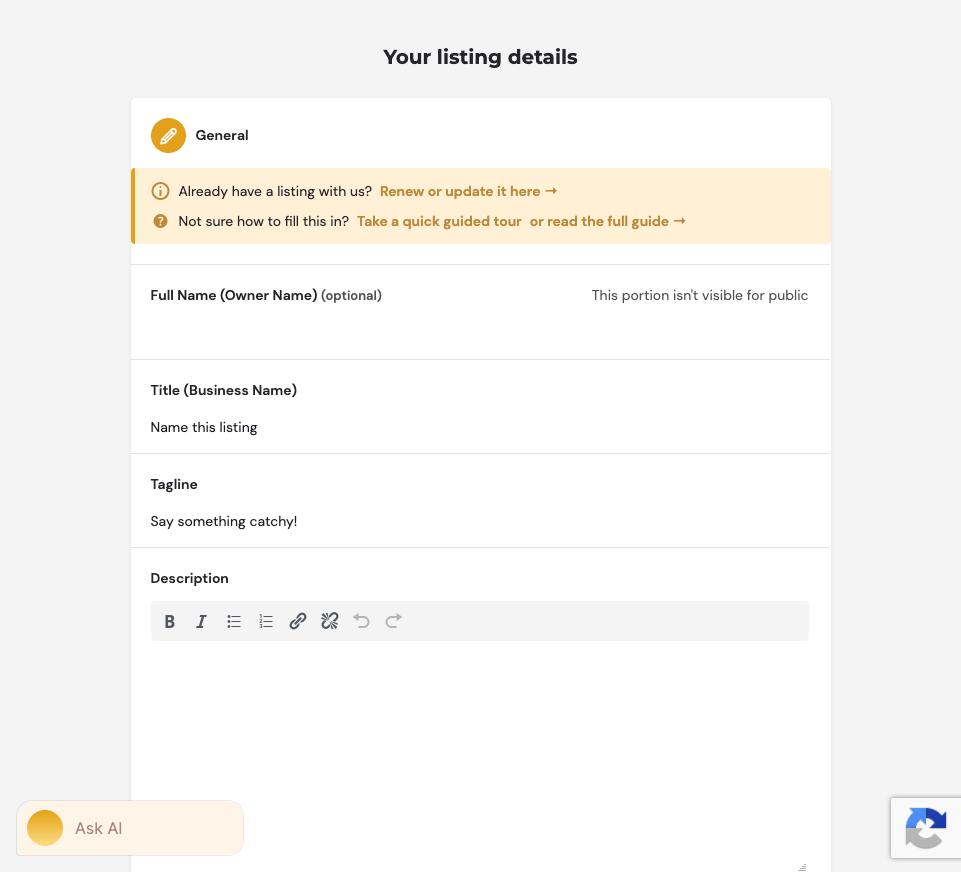
Step 2 — Fill in your business details
Enter your business name, category, description, address, contact details and photos.
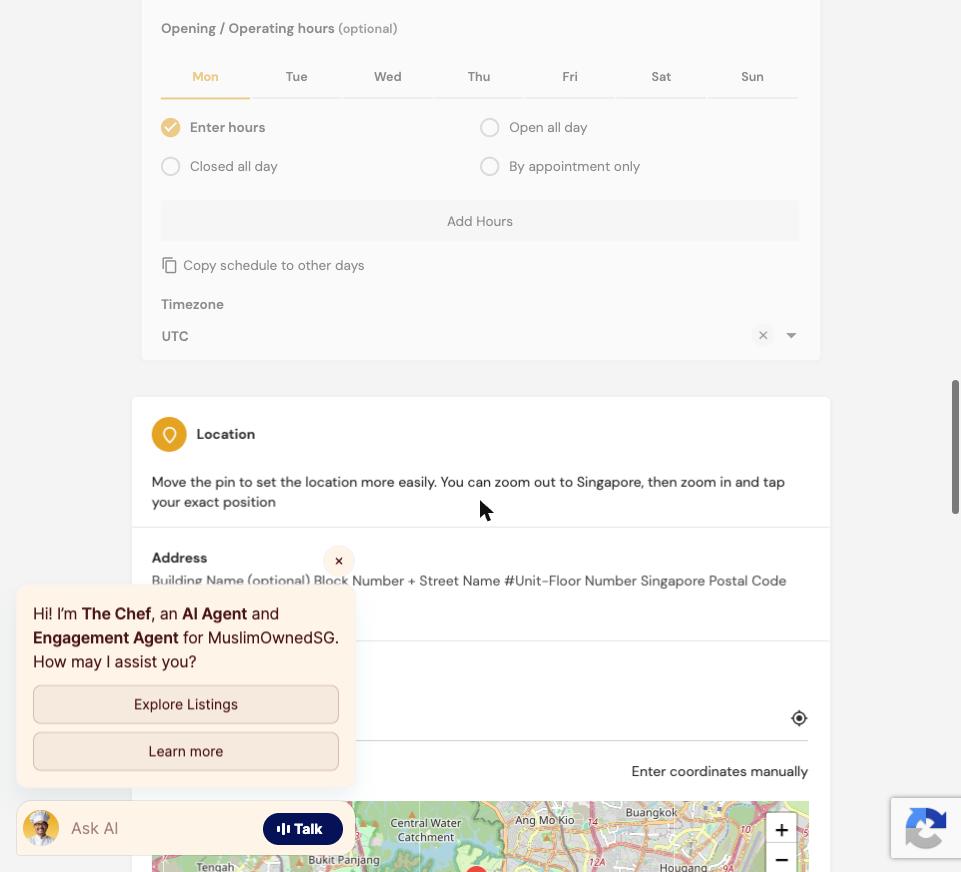
Pinning your exact location
This part trips people up most. Under “Location”, type your address or area, then drag the red pin on the map so it sits exactly on your shop — zoom in first for accuracy.
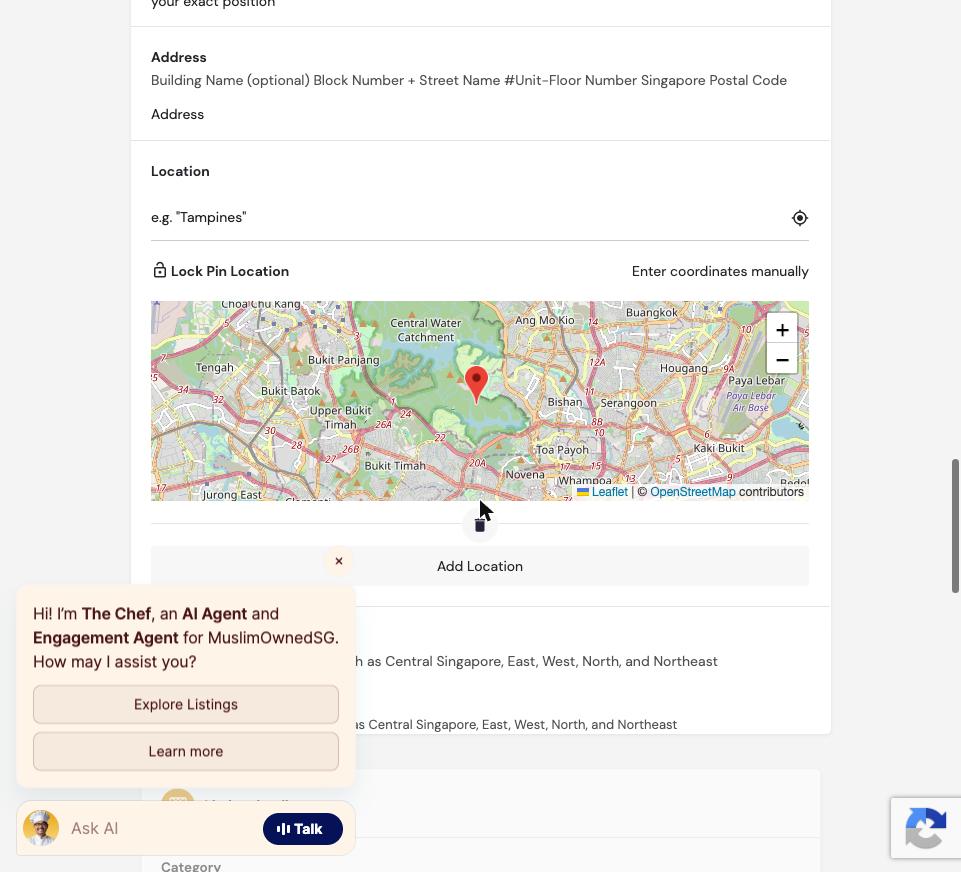
Getting a Google Maps embed code (optional)
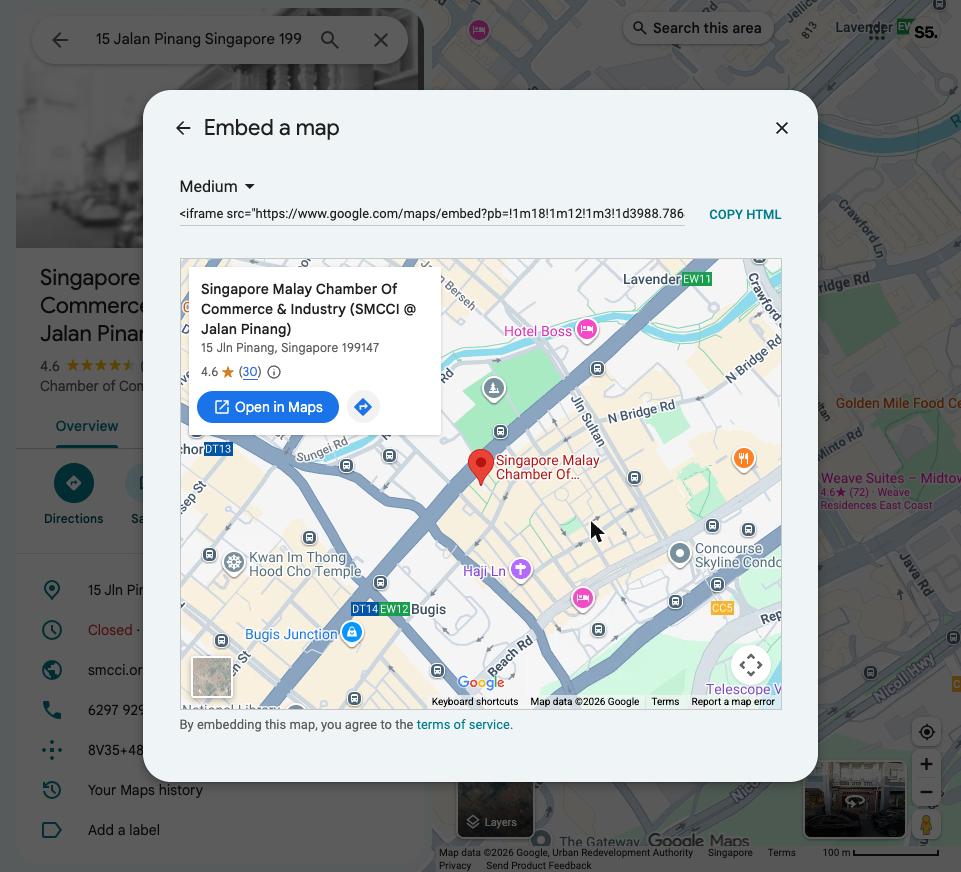
The form’s “Location” field near the bottom also accepts a Google Maps embed code, for an interactive map on your listing page. Here’s how to get it — using SMCCI’s own office (15 Jalan Pinang, Singapore 199147) as the example.
1. Search your address on Google Maps, then click your business in the results.
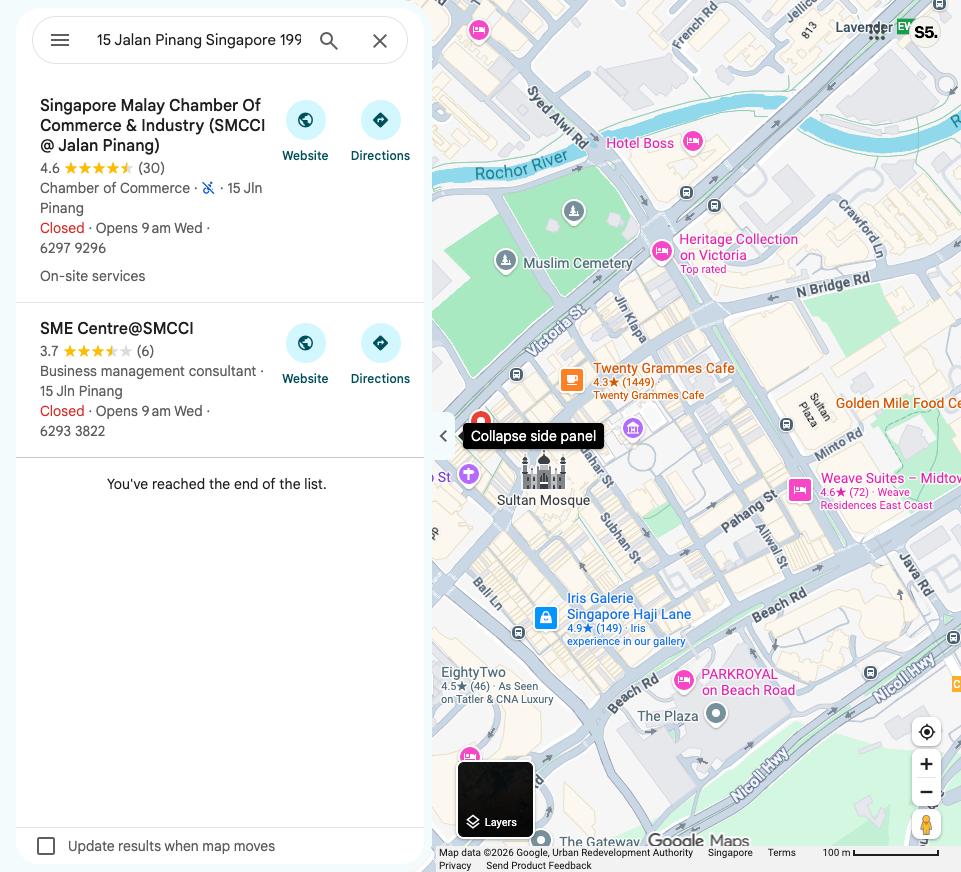
2. On the place page, click “Share”.
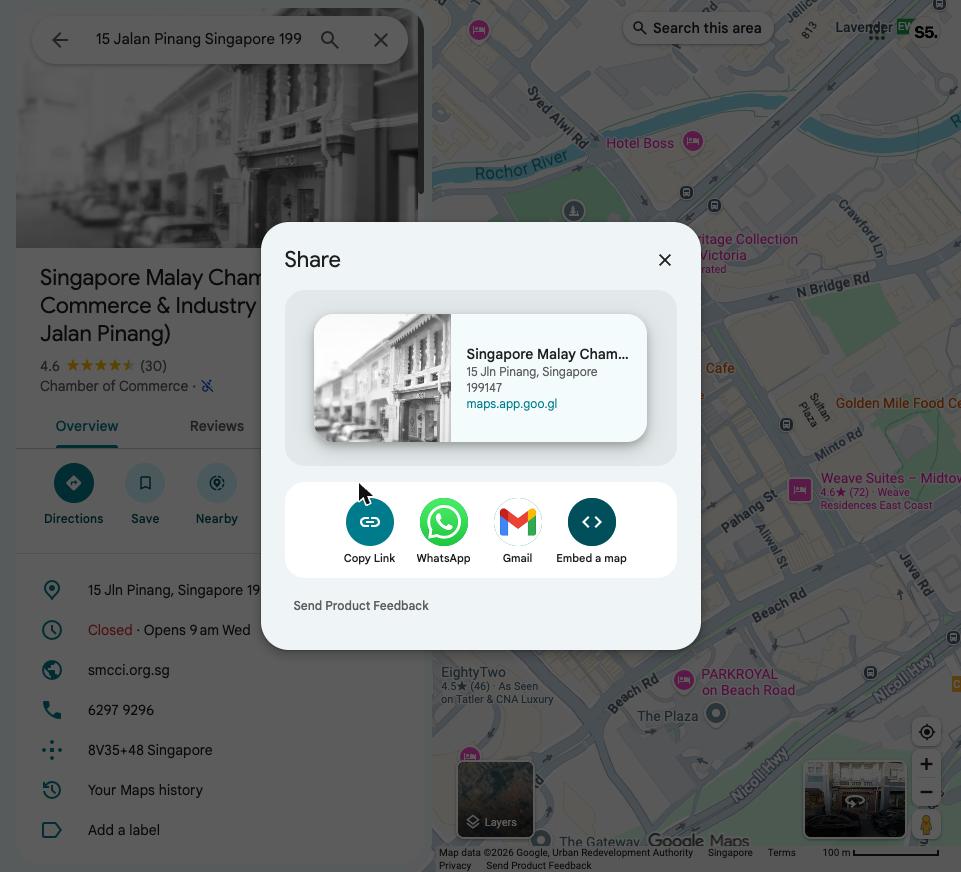
3. Click “Embed a map”, then “COPY HTML”. Paste the whole code (starts with <iframe src=...) into the Location field on the listing form.
Where each field shows up on your page
These are real screenshots of a published listing, with a red box marking exactly where each piece of information you enter ends up.
Title, Tagline, Logo, Cover Image, Price Range, Website, Phone

Description

Location pin

Address, Region, Social Networks

Gallery

Tags, Opening Hours

Category, Menu

Owner Recommendations

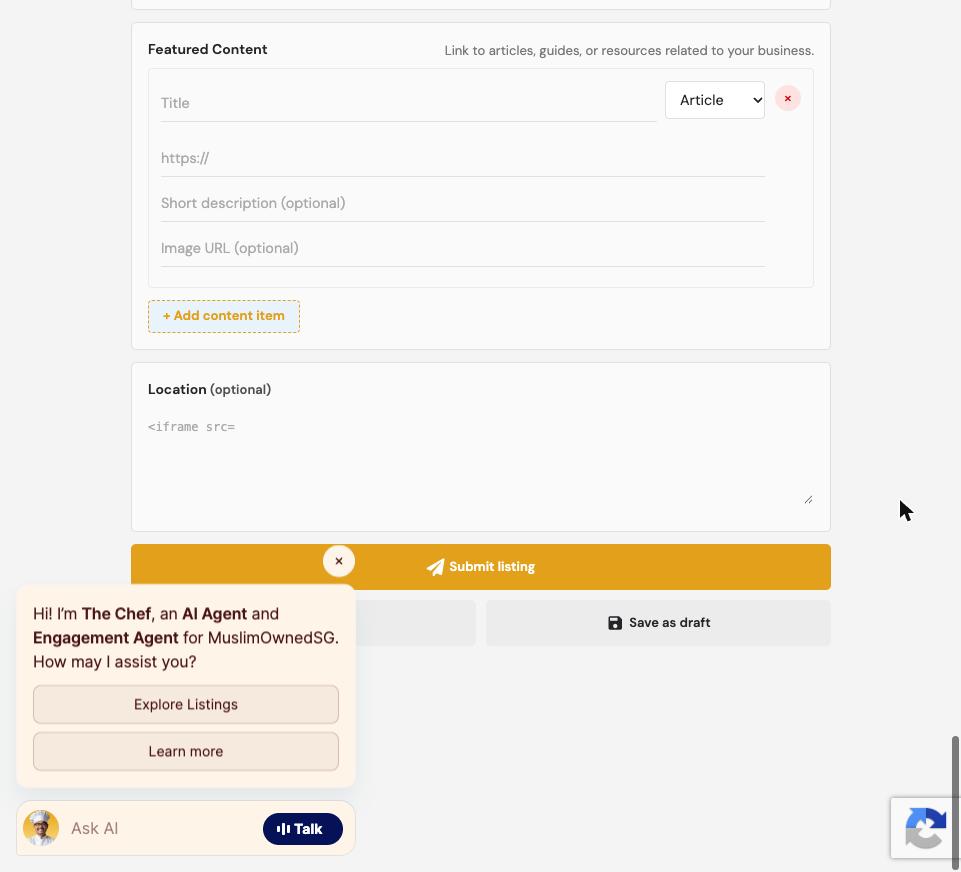
Featured Content

Google Maps embed (optional)

Step 3 — Submit for review
Once submitted, our team reviews your listing before it goes live. This usually takes 1–2 business days.
Already have a listing?
If you already have a listing with us and want to renew or update it, use our renewal page instead of submitting a new one.